Tonight OdiMeet learned to use a DJI Mic Mini
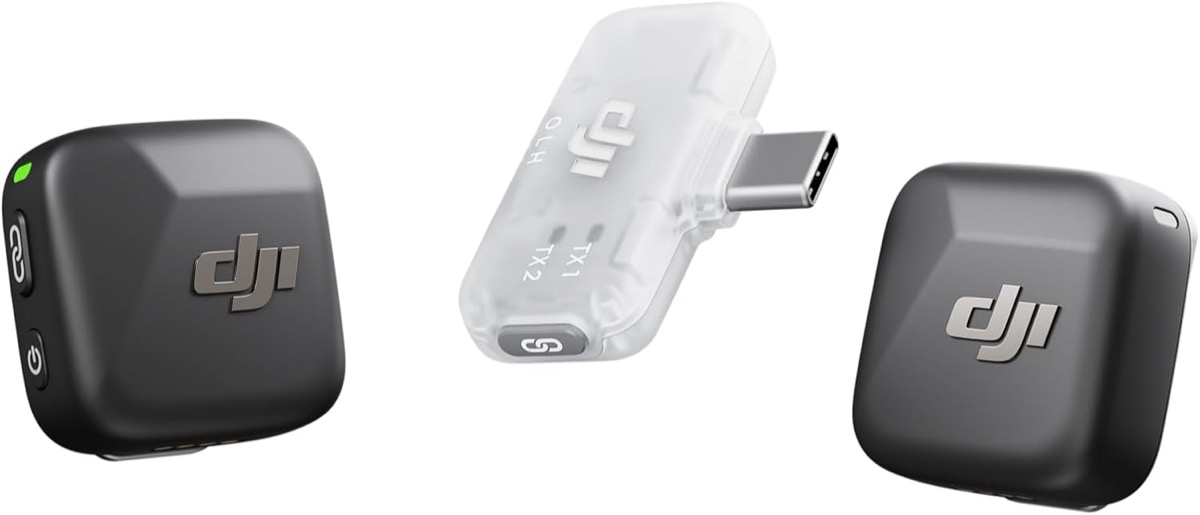
Yesterday's note was about two iPhones as an array, deciding who is speaking by distance. This morning OdiMeet's "New recording" gained a third card: one iPhone plus a wireless mic set — two clip-on transmitters, one receiver. That card went from "coming soon" in the morning to working tonight, and it is the most accurate of the three setups. This is what happened in between, crash included.
Why this is the most accurate setup
The two-iPhone array relies on physics: whoever is closer is louder on their phone, 12–17 dB in our measurements. A wireless mic set is more direct still — each transmitter is its own track. The receiver puts TX1 on the left channel and TX2 on the right, on one clock, into one iPhone. Nothing to estimate, no two clocks to align: the voices are separated in hardware before the app ever sees them. What remains is splitting left and right into two tracks, transcribing each, merging by time, and putting names on the lines.
So inside OdiMeet it runs the exact Precision Mode pipeline with one switch flipped: the alignment step is forced to zero. That is not just a shortcut — bleed between lavalier mics is faint, and a cross-correlation search could lock onto a spurious peak; the two channels share a clock, so there is no offset to find.
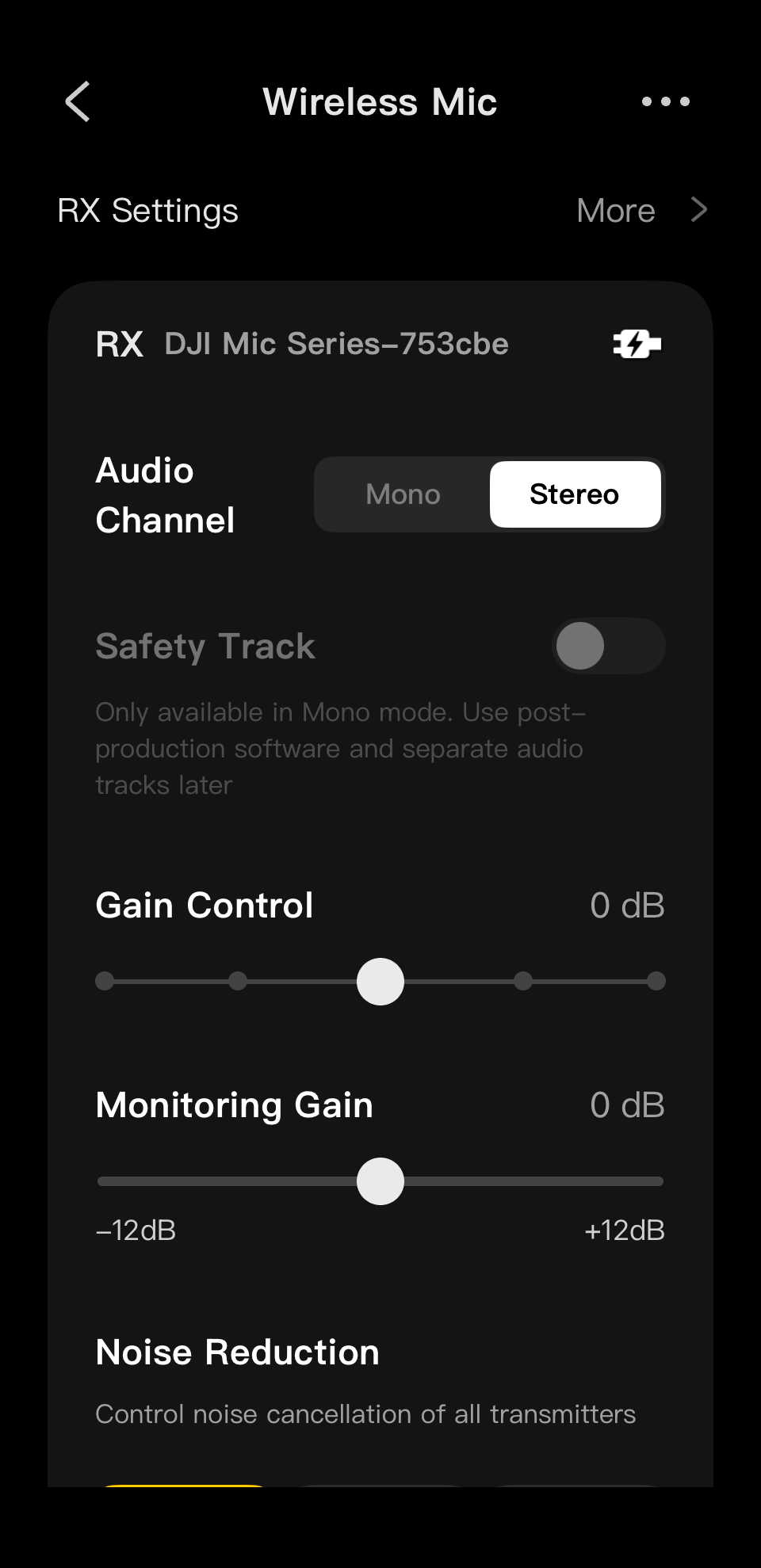
The one thing you have to do: switch the receiver to Stereo in DJI Mimo
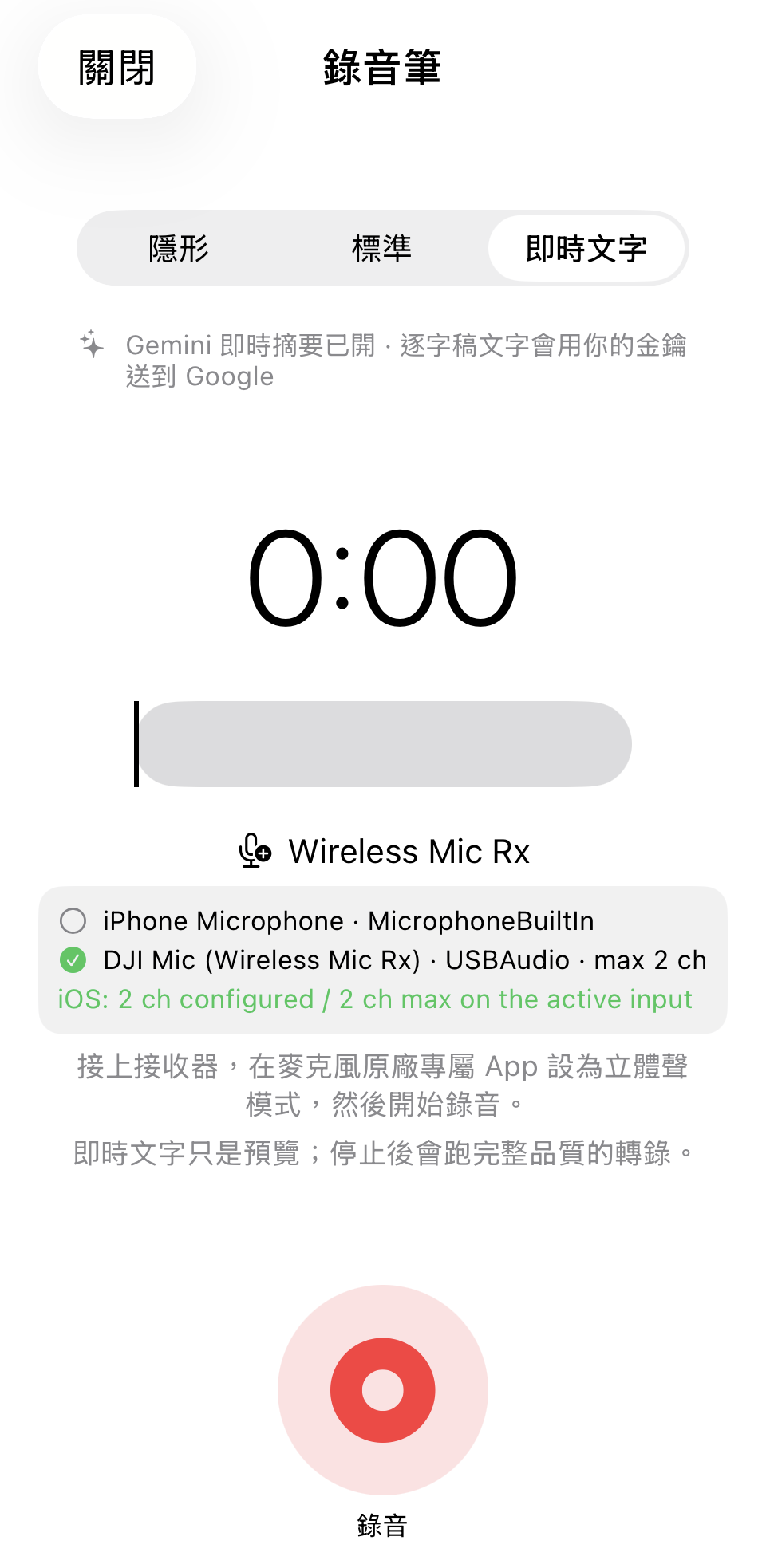
The receiver has three channel modes. Mono mixes both transmitters into one channel; Safety Track is the same mix plus a copy 6 dB lower; only Stereo gives one transmitter per channel. That setting lives in DJI's own Mimo app (the receiver connects to it over Bluetooth) and OdiMeet cannot change it for you — so it is the only step in the whole flow that needs your hands. Once set, plug the receiver into the iPhone and OdiMeet's recording screen shows that it recognised a DJI Mic and is getting two channels.
Then it crashed, once
First full run: record, split, combine — and the app died. I pulled the crash log from the iPhone 16e over Wi‑Fi straight onto the Mac: main thread, a Swift runtime trap, in the line that builds the engine label after the merge. The cause was dumb. Because this mode skips the alignment search, I had set the "alignment lock" value to infinity, and the label converts it to an integer — Swift stops dead on Int(∞). A finite value, a label that now reads "same clock", and a test so it cannot come back.
The result
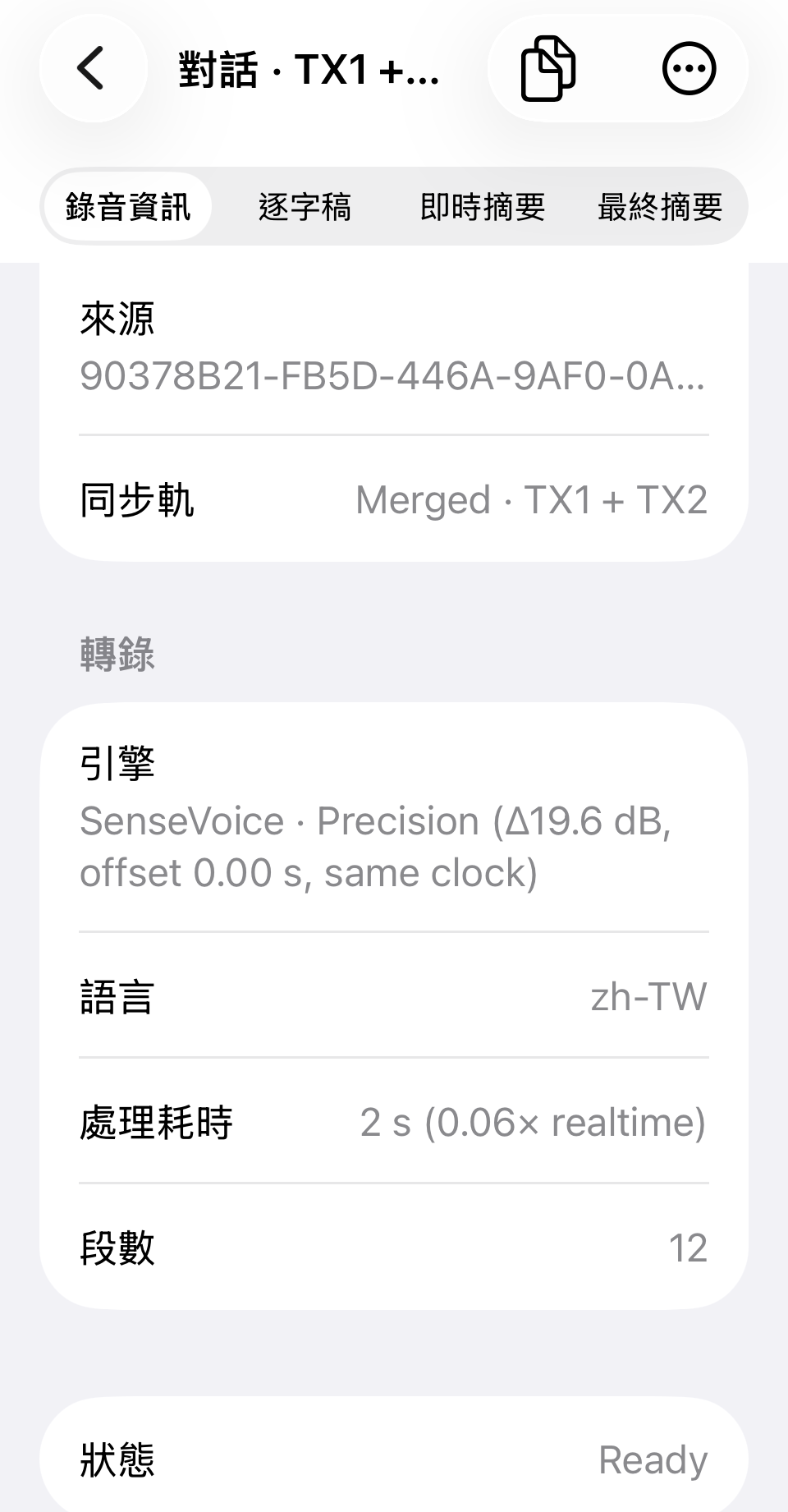
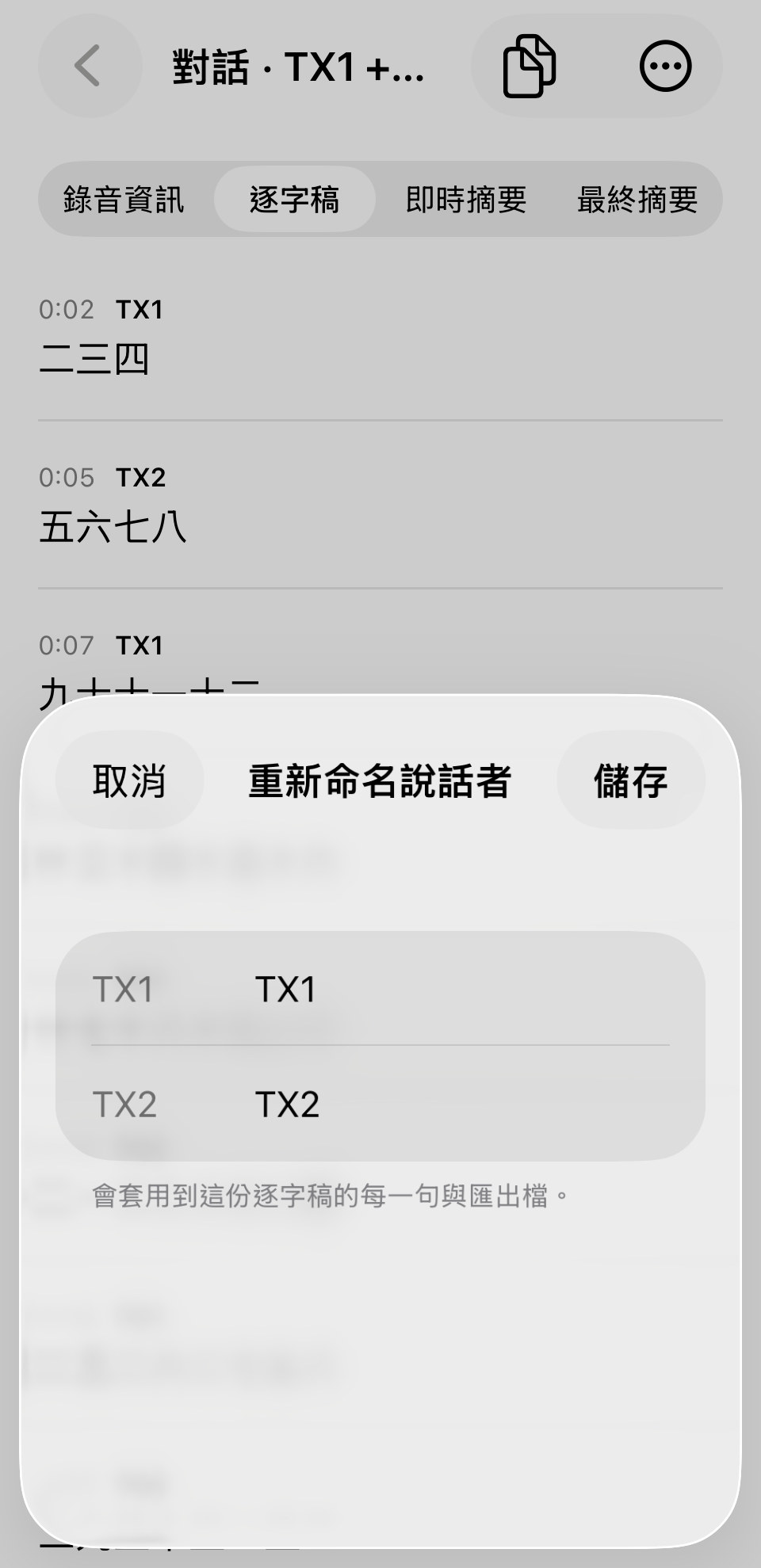
19.6 dB beats the two-iPhone array's best — and it is what lavalier mics should deliver: 15 cm from a mouth, with the other person two metres away. TX1 and TX2 alternate cleanly through the transcript; the tester's verdict was "isolation is perfect". Then came "Rename speakers", so TX1 and TX2 become people, in every line and in exports.
How the three setups line up now
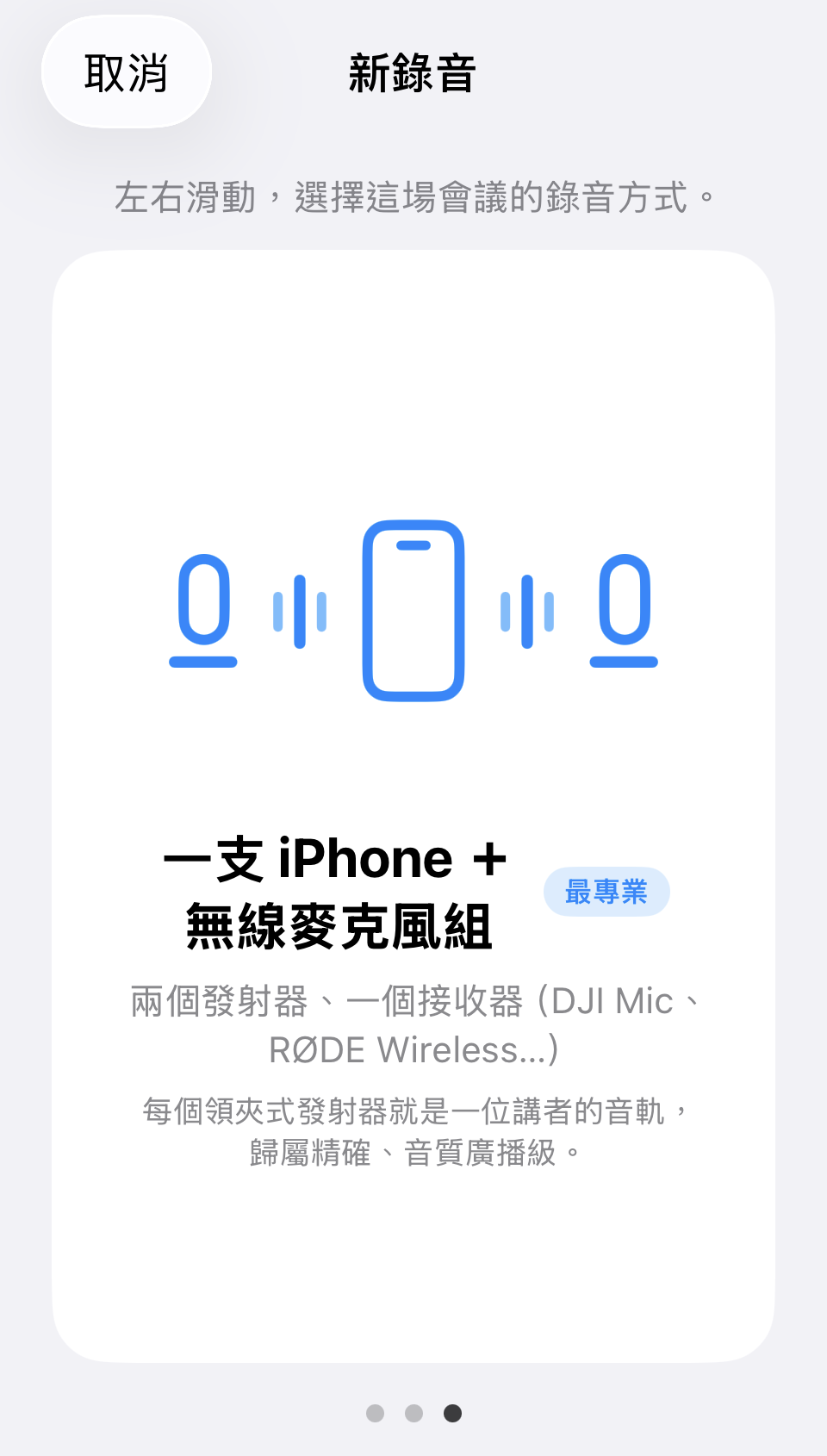
Three cards in New recording, swiped left and right: One iPhone (simplest; speaker labels estimated from voice-prints) → Two iPhones (best deal; phones you already own, attribution measured by distance) → One iPhone + wireless mic set (most professional; separated in hardware). Accuracy climbs in the same order. All three run on the device; the audio never leaves the phone.
So
OdiMeet now has its first certified compact wireless mic set: the DJI Mic Mini. If you already own one, or are about to buy one, you can use it with confidence: set the receiver to Stereo in DJI Mimo first (the only setting you need to touch), plug it into your iPhone, pick the third card in New recording — one track per speaker, and the transcript tells you who said what.
OdiMeet is free for 90 days, then $2.99 a month, $29.99 a year, or $39.99 once. Follow odimeet.app for the App Store link.